Download the Android App
Tap the Download Secure VPN for Android button to access the available Android version. Make sure you're downloading the application from the official Secure VPN website rather than an unknown third-party source.
Secure VPN for Android gives you a simple way to protect your mobile connection and browse through a VPN server. Download the Android app, install it on your device, choose a server, and connect.
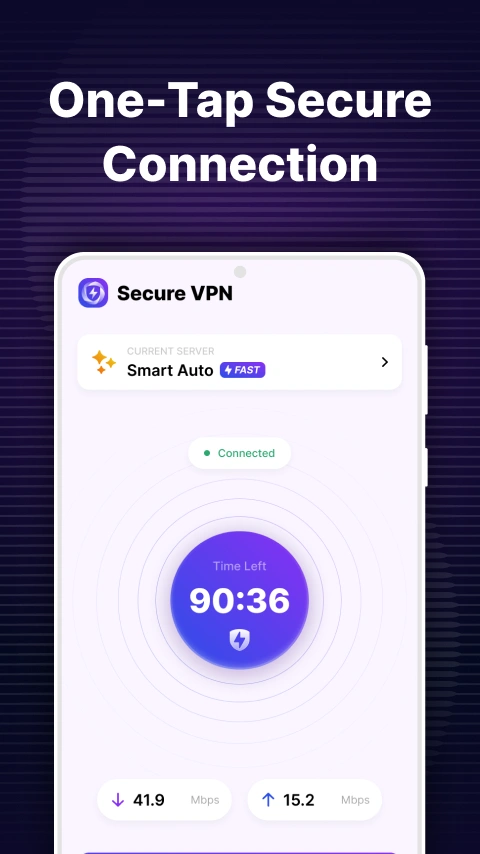
Your phone connects to many different networks throughout the day, from home Wi-Fi and mobile data to public hotspots in cafés, airports, hotels, and other places.
A VPN can add another layer of privacy by encrypting your connection and routing your traffic through a VPN server.
Secure VPN for Android is designed to make that process straightforward. Instead of manually configuring VPN settings, you can install the Android app, select a location, and connect from your phone.
A VPN encrypts the connection between your Android device and the VPN server while you're connected, helping protect your traffic on shared networks.
When Secure VPN is connected, websites see the VPN server's public IP address rather than your regular public IP.
Public Wi-Fi can be convenient, but you don't always know who else is using the same network. A VPN provides an additional layer of protection when connecting through shared hotspots.
Secure VPN provides multiple server locations, allowing you to choose an available VPN server directly from the Android application.
| Feature | Details |
|---|---|
| Android Support | Designed for Android smartphones and tablets |
| VPN Encryption | Helps protect your connection |
| IP Address Masking | Replaces your public IP while connected |
| Multiple Locations | Choose from available VPN servers |
| Simple Interface | Easy connection controls |
| Public Wi-Fi Protection | Useful on shared networks |
| Mobile Friendly | Designed for everyday Android use |
Tap the Download Secure VPN for Android button to access the available Android version. Make sure you're downloading the application from the official Secure VPN website rather than an unknown third-party source.
After the APK has finished downloading, open the file from your Android notification panel or Downloads folder.
Depending on your Android version and where the APK was downloaded, Android may ask you to allow installation from that source. Only enable this permission when you trust the source of the application.
Follow the Android installation prompts and wait for the application to finish installing.
Launch the app and review the available VPN locations.
Select a server location and tap Connect. Android may display a VPN connection permission prompt the first time you connect. Review the permission and confirm if you want to establish the VPN connection.
The Android version can be installed as an APK when that distribution method is provided.
An APK is the installation package used by Android applications. If you're installing an APK outside Google Play, pay attention to where the file comes from and make sure you are using a legitimate download source.
Before installing, check:
Avoid downloading VPN APK files from unfamiliar download pages simply because they advertise a newer version.
Secure VPN can be useful on both Android phones and compatible tablets.
On a phone, a VPN can remain useful as you switch between mobile data and different Wi-Fi networks. On a tablet, it can provide the same type of VPN connection when browsing, working, or using online services.
The exact interface and available features can vary depending on the Android version and device.
There are several everyday situations where an Android VPN can be useful:
A VPN does not make your device completely anonymous or replace Android security features, antivirus protection, or safe browsing practices.
A useful feature of a mobile VPN is that you can use it across different types of internet connections.
When connected to a home, hotel, café, or public Wi-Fi network, Secure VPN can provide an additional layer of protection through its VPN connection.
You can also use a VPN while connected through your mobile carrier. This can help maintain the same VPN connection approach when switching away from Wi-Fi.
VPNs and proxies can both change the apparent IP address of a connection, but they aren't identical.
| Secure VPN | Proxy | |
|---|---|---|
| Android app | Yes | Depends on service |
| Encrypts VPN connection | Yes | Depends on proxy |
| IP address masking | Yes | Yes |
| Device-wide VPN connection | Supported | Usually more limited |
| Setup | App-based | Can require manual settings |
For Android users who want a straightforward setup, a dedicated VPN application can be easier than configuring proxy settings manually.
Before installing the Android version, check the current requirements for the available release.
Your device should have:
Android settings and installation prompts can differ between manufacturers, so the exact steps may vary on Samsung, Google Pixel, Xiaomi, OnePlus, and other devices.
From smartphones to desktop computers, Secure VPN is designed to work on the devices you use every day. Install the app, connect to a server, and enjoy a faster, more private browsing experience wherever you go.
Yes. Secure VPN provides an Android option for users who want to connect their mobile devices through a VPN.
Use the Secure VPN Android download page to access the available version. Check the source and version information before installing an APK.
Download the APK, open the file, allow installation from the relevant source if Android requests permission, and follow the installation prompts.
Yes. A VPN can also operate over mobile data as long as your device has an active internet connection.
When connected to a VPN server, your normal public IP address is replaced by the VPN server's public IP address.
Yes. A VPN can provide an additional layer of protection when you're connected to shared Wi-Fi networks.
No. A VPN can improve connection privacy and hide your public IP, but it doesn't prevent all forms of online tracking or identify protection by itself.